
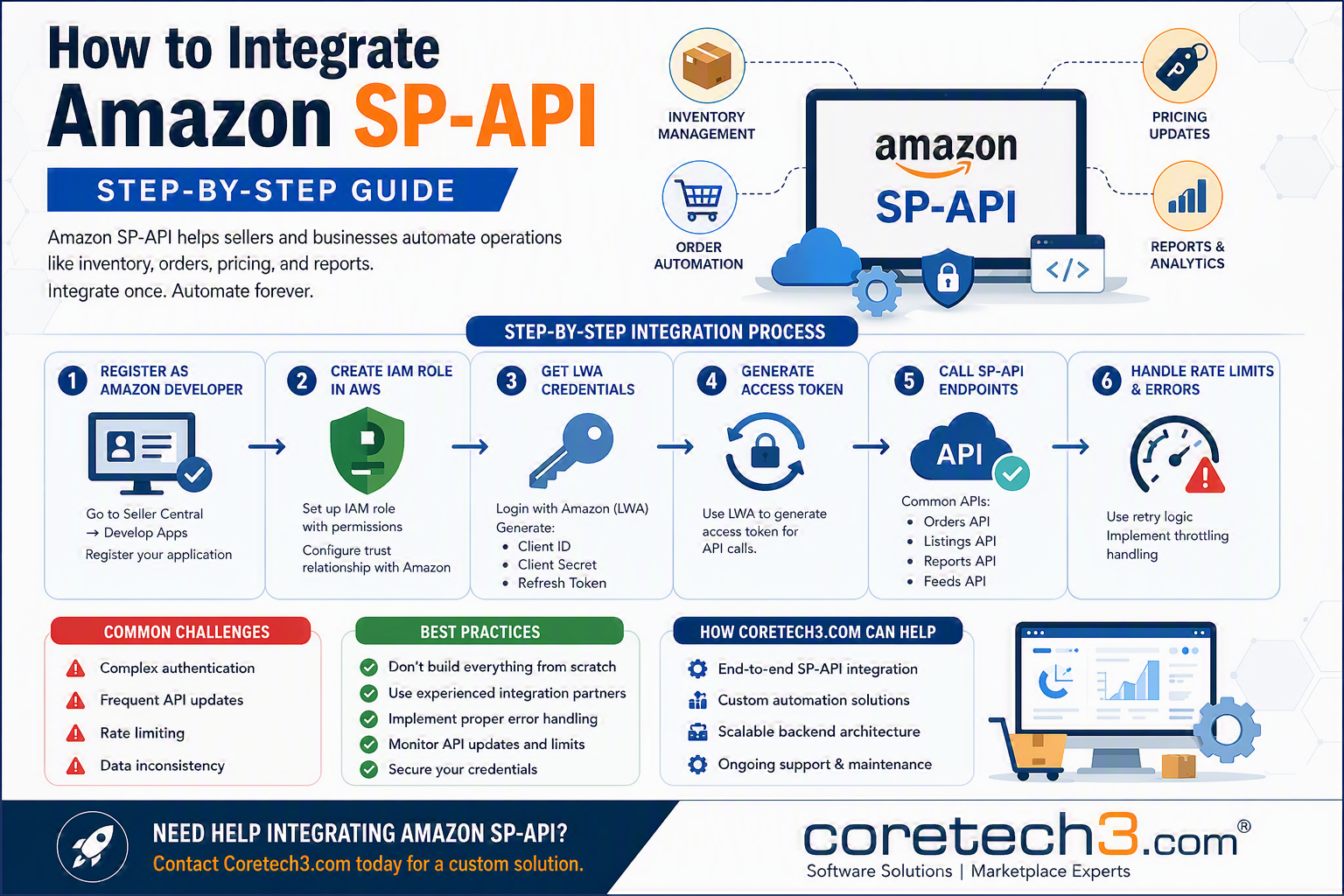
How to Integrate Amazon SP-API: A Step-by-Step Guide
Amazon's Selling Partner API (SP-API) enables sellers, brands, and software providers to automate critical business operations such as inventory management, order processing, pricing updates, and reporting. If you're still relying on manual workflows, you're likely sacrificing efficiency, accuracy, and scalability. This guide walks you through the Amazon SP-API integration process and highlights key considerations for a successful implementation.
What Is Amazon SP-API?
Amazon Selling Partner API (SP-API) is Amazon's modern REST-based API platform that replaces the legacy Marketplace Web Service (MWS). With SP-API, businesses can automate and streamline: • Inventory management • Order processing • Pricing updates • Catalog synchronization • Financial reporting • Feed and report generation SP-API is designed for developers, agencies, system integrators, and SaaS platforms that need reliable access to Amazon marketplace data.
Prerequisites for SP-API Integration Before you begin, ensure you have: ✅ An Amazon Seller Central account ✅ A registered Amazon Developer profile ✅ An AWS account with appropriate IAM permissions ✅ An application registered in Seller Central ✅ Login with Amazon (LWA) credentials
Step-by-Step Amazon SP-API Integration Step 1: Register as an Amazon Developer
- Log in to Amazon Seller Central
- Navigate to Develop Apps
- Register your application
- Configure application details and permissions
Step 2: Create an IAM Role in AWS Amazon SP-API uses AWS Identity and Access Management (IAM) for secure access.
- Create a new IAM role
- Assign the required permissions
- Configure the trust relationship with Amazon's SP-API services
- Generate and securely store credentials
Step 3: Obtain LWA Credentials SP-API authentication requires Login with Amazon (LWA) credentials. Generate the following: • Client ID • Client Secret • Refresh Token These credentials will be used to request access tokens for API communication.
Step 4: Generate an Access Token Use your LWA credentials to obtain an OAuth access token. The access token is required for authenticated SP-API requests and must be refreshed periodically using the refresh token.
Step 5: Connect to SP-API Endpoints Once authentication is configured, you can interact with Amazon's APIs. Popular SP-API endpoints include: Orders API Retrieve and manage customer orders. Listings API Create, update, and synchronize product listings. Reports API Generate and download operational and financial reports. Feeds API Submit bulk inventory, pricing, and catalog updates.
Step 6: Handle Rate Limits and Errors Amazon enforces API usage limits to ensure platform stability. Best practices include: • Implement retry mechanisms • Use exponential backoff strategies • Monitor throttling responses • Log and track API errors • Build resilient error-handling workflows
Common SP-API Integration Challenges Many businesses encounter challenges such as: • Complex authentication workflows • Frequent API updates and version changes • Request throttling and rate limits • Data synchronization issues • Maintaining long-term scalability
Best Practices for Successful Integration ✅ Plan your architecture before development ✅ Implement proper error handling and monitoring ✅ Secure all credentials and API keys ✅ Regularly review Amazon API updates ✅ Avoid building complex integrations entirely from scratch unless necessary Partnering with experienced SP-API specialists can significantly reduce development time and integration risks.
How Coretech3.com Can Help At Coretech3.com, we help businesses build reliable and scalable Amazon SP-API integrations, including: • End-to-end SP-API implementation • Custom automation solutions • Order and inventory synchronization • Reporting and analytics integrations • Scalable backend architecture • Ongoing maintenance and support
Need Help Integrating Amazon SP-API? Let our experts help you streamline your Amazon operations with a customized SP-API solution. 👉 Contact Coretech3.com today to discuss your integration requirements.